Install Drama Live Pro on PC (Windows)
Enjoy an immersive viewing experience on your big screen
Learn how to install Drama Live Pro Premium on Windows using the LDPlayer Android emulator. Follow our illustrated step-by-step guide for the best ad-free live streaming experience on your PC.
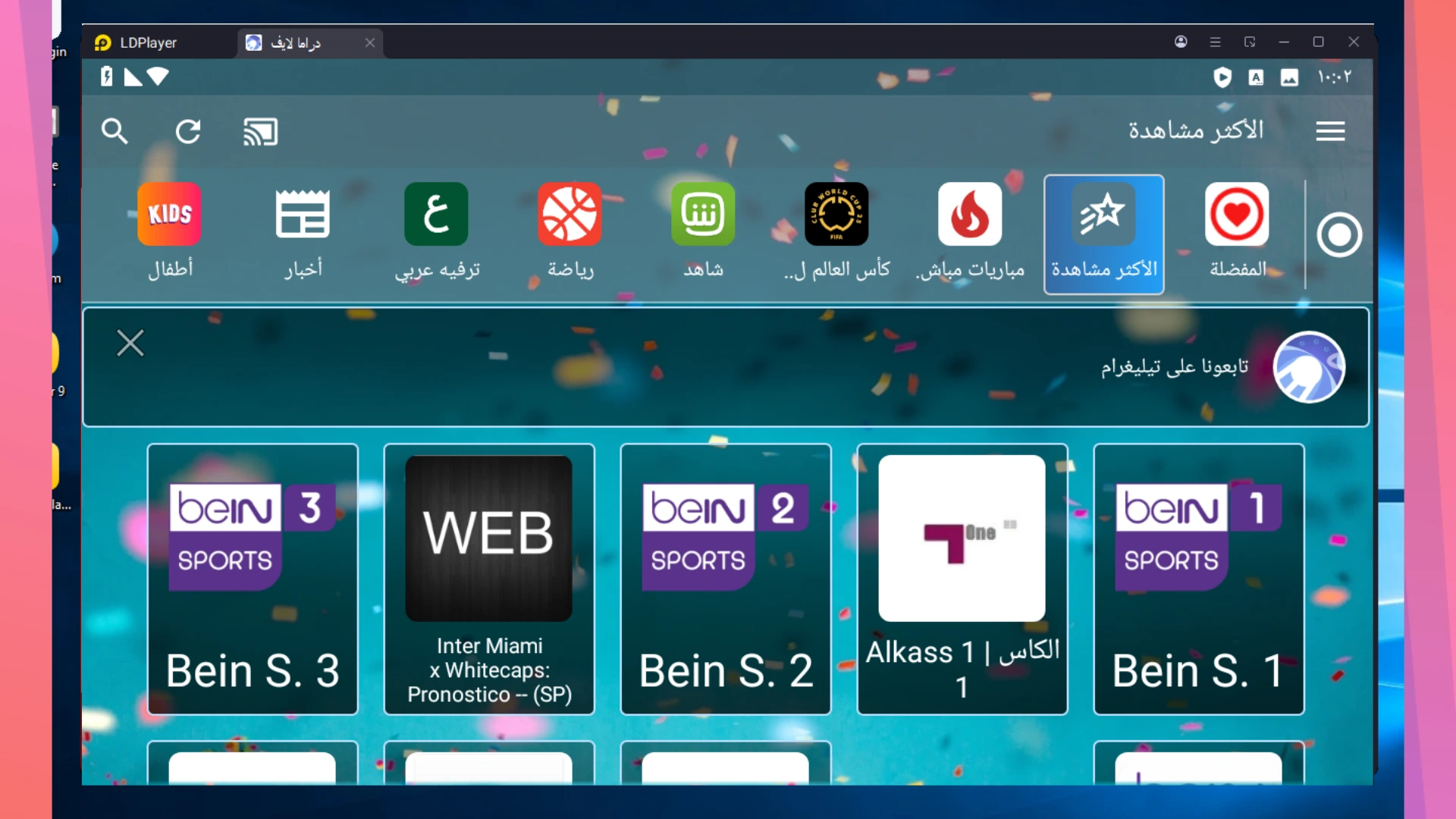
Step-by-Step Installation Guide
Follow these simple illustrated steps to install the app successfully on your computer.
Step 1: Download & Install LDPlayer Emulator
LDPlayer is a free, powerful Android emulator that lets you run mobile apps on your PC. Click the button below to download the latest version (LDPlayer 9) from the official website, then install it on your computer.
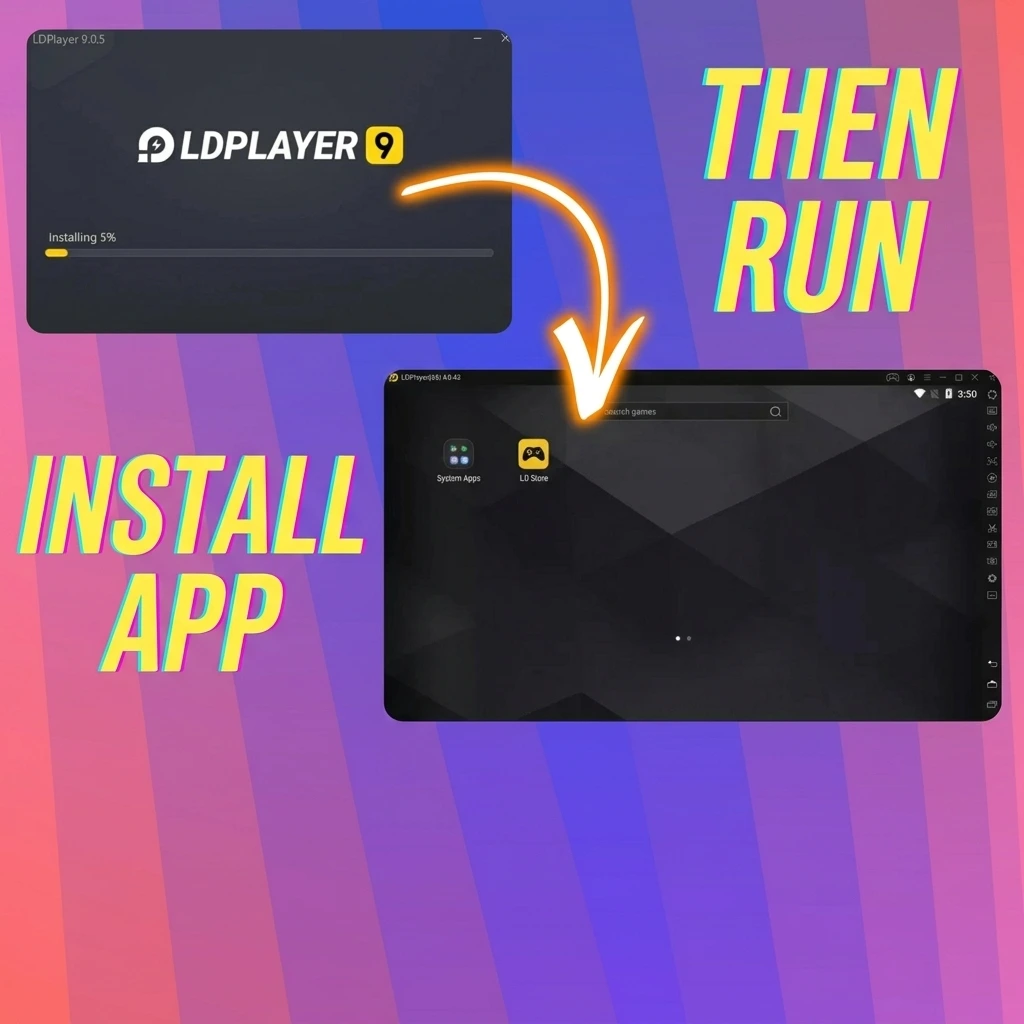
Step 2: Download & Install Drama Live Pro APK
Now download the Drama Live Pro Premium APK file. Once downloaded, open LDPlayer and drag-and-drop the file directly into the emulator window to begin installation.
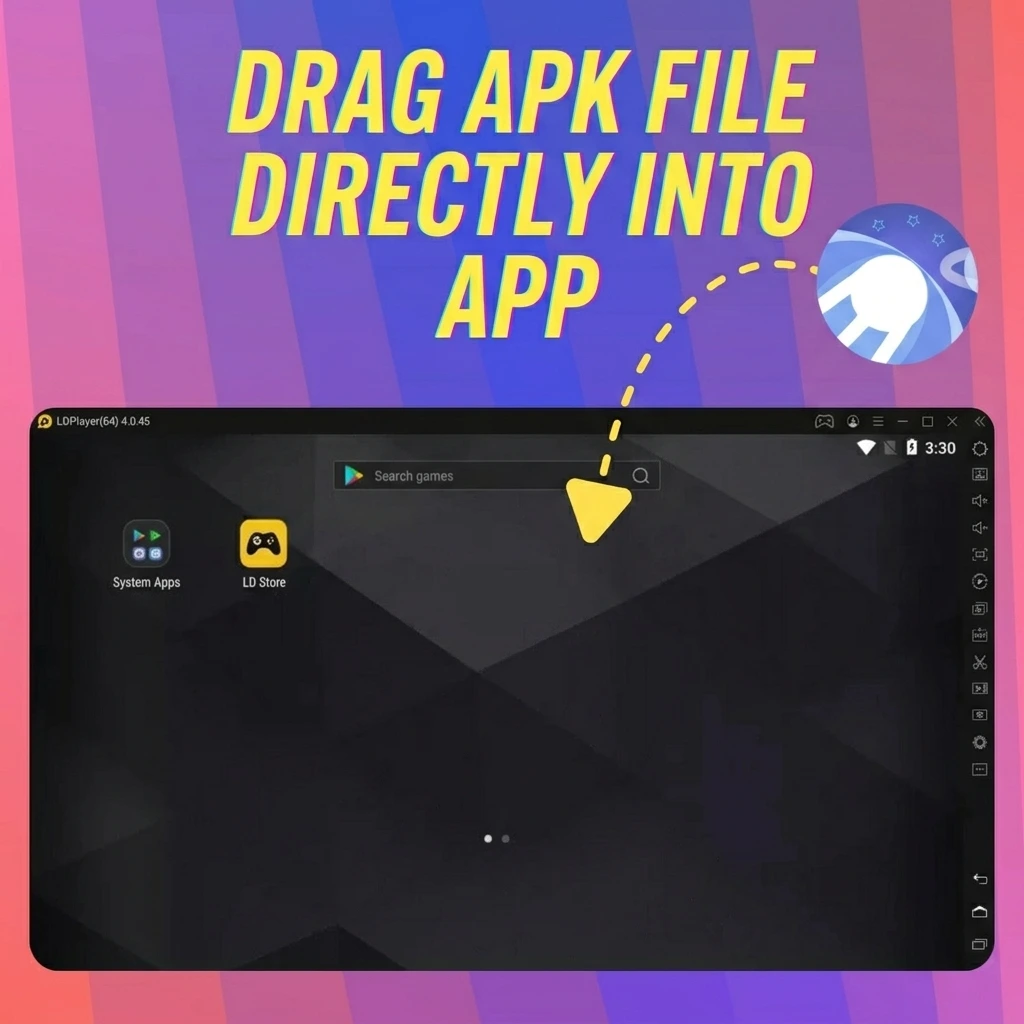
Step 3: Enjoy Streaming on the Big Screen
Once installation is complete, the Drama Live Pro icon will appear on the LDPlayer home screen. Click it and enjoy all your favorite channels and live sports on your computer's big screen — completely ad-free!

Installation Complete!
You're all set to enjoy Drama Live Pro Premium on your PC. Happy streaming!
Benefits of Running Drama Live Pro on PC
1Immersive Big Screen Experience
Nothing beats watching high-stakes matches or the latest movies on a large monitor. See every detail in crystal-clear clarity.
2Stable & Uninterrupted Performance
Say goodbye to battery anxiety. Use a wired Ethernet connection for maximum stability and zero buffering during live streams.
3Efficient Multi-tasking
Keep the match in a side window while you work or browse. Enjoy the flexibility of a desktop environment.
4Precise Control & Navigation
Navigate channels and search for content with ease using your mouse and keyboard for a superior user experience.